lira
lira is a piano roll, a grid of pitches against time where a song is
written by clicking notes onto it. it plays the song through
oljud and saves it as a
noter file. it is an
ordinary ring-3 program. start lira.elf starts it in a
window of its own, and so does a click on a song in
hylla.
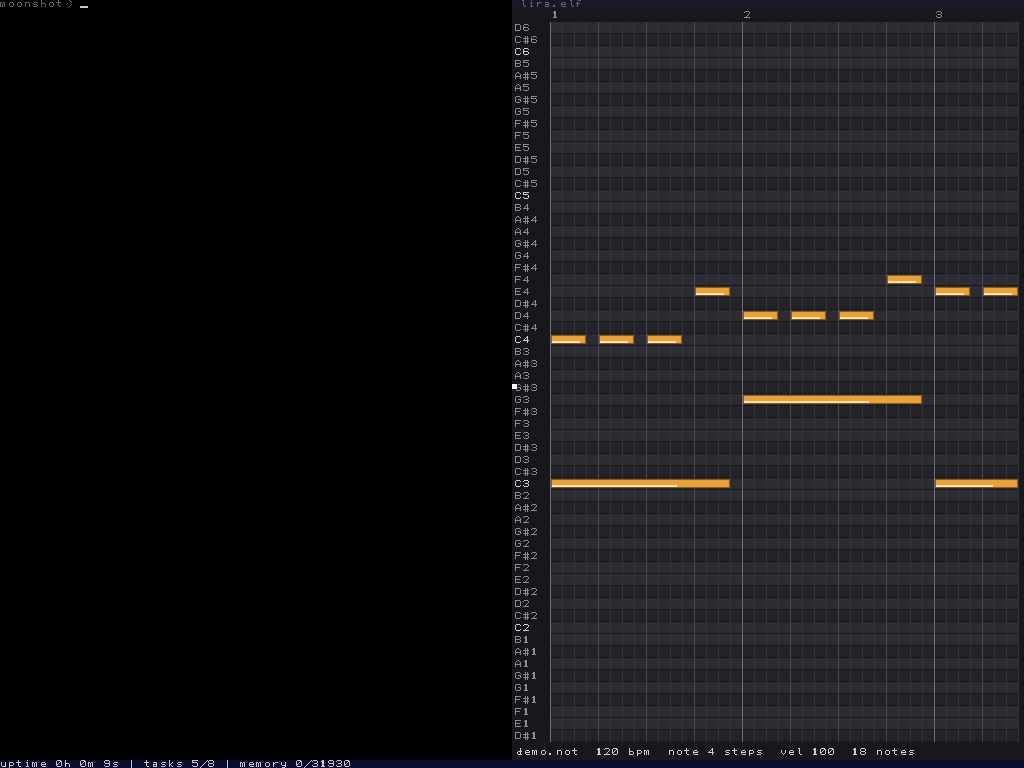
a first song
type start lira.elf mysong.not in the shell, then press
alt-tab or click lira's window to give it the keyboard. rows
are pitches and columns are steps, four to a beat and four beats to a
bar. click a cell and a note goes in, click it again and it goes away.
press space to hear the song and s to save, then
type sync in the shell to keep it after a restart. without
a file name lira edits song.not.
keys
- click
- puts a note in an empty cell, or takes away the note that is there.
- 1 2 3 4
- the instrument new notes get, square, triangle, sawtooth or drum.
- [ ]
- halve or double the length new notes get.
- , .
- quieter or louder new notes.
- - =
- the tempo down or up.
- arrows, page up, page down
- scroll a semitone, a beat or an octave.
- home
- back to the start of the song.
- space
- plays the song from the start, or stops it.
- l
- loop on or off.
- s
- saves.
- h
- the help, this list over the grid.
- escape
- closes the help, or quits lira.
at most eight notes may sound at once. a click that would make a ninth is refused with a message in the status line.